
Table of Contents
ToggleBrawn GP F1 25 Introduction
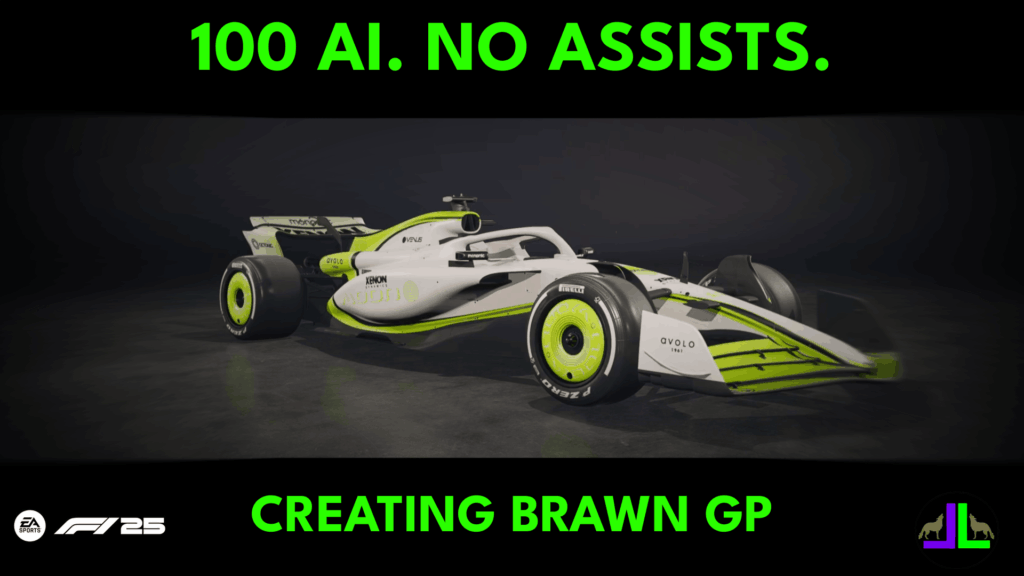
In this series, I’m rebuilding Brawn GP from scratch in F1 25 Career Mode, running 35% race distance at 100 AI difficulty with no assists.
This isn’t just a time trial hotlap series — it’s focused on realistic racing, tyre management, race pace, and championship progression across a full season.
Each week, I’ll cover every round with race breakdowns, setups, pole lap analysis, and track-specific tips. I’ll also share the hardware and camera settings I use for maximum consistency and realism.
Brawn GP Livery Creation + Realistic Camera Settings
In this first video, I create the Brawn GP-inspired livery from scratch and show my exact F1 25 camera settings for 100 AI Career Mode racing. These settings give better depth perception for braking zones, improved traction control, and a realistic cockpit view.
All the setups and tips in this series are designed to work for anyone playing F1 25 Career Mode, whether you’re using a controller, wheel, or hybrid setup. The key principles — tyre management, ERS usage, braking points, and corner entry lines — remain the same for every player.
That said, using a wheel setup can improve feedback and realism. I run the Fanatec GT DD Pro wheel base, which gives precise control through heavy braking zones and high-speed corners. You can read my full review here.
Hardware Used for This Career Mode (Optional Enhancement):
- Wheel Base: Fanatec GT DD Pro
- Pedals: Fanatec CSL Pedals
- Rig: SimLab GT Pro 1 (review coming soon)
Even if you’re on a controller, these setups still give you consistent lap times and better race performance — the wheel just adds extra realism and tactile feedback.
Round 1 – Australia Setup & Qualifying Lap
Circuit Overview – Melbourne Grand Prix Circuit, Australia
- Location: Melbourne Grand Prix Circuit, Melbourne, Australia
- Length: 5.278 km (3.280 miles)
- Corners: 14
- DRS Zones: 4
- Layout: A mix of high-speed straights and technical corners, with sharp turns and quick direction changes. Key braking points make tyre management crucial in F1 25 35% races.
- Surface: Smooth asphalt with varying grip levels; track evolution and weather can affect lap consistency.
- Unique Feature: Set in picturesque Albert Park, the circuit combines public roads and permanent sections. Track evolution and unpredictable weather add extra challenge for realistic Career Mode racing.
For Australia, the lap demands a fine balance of downforce. I found that a strong front end combined with a lower rear wing works best, particularly for the straight between Turns 8 and 9.
Maintaining overall aero balance is crucial, as you can gain significant time carrying speed through the Turn 9–10 chicane. For a 35% race, a rear ride height of 48 is about as low as you can go — you’ll bottom out a little along the back straight, but the lap time benefits outweigh the loss.
At the start of the lap, carry plenty of speed through Turns 1 and 2 while watching track limits. Turns 9 and 10 are make-or-break corners; don’t run wide on exit, and a stable setup really pays off here.
Turn 14 can catch out the rear, so apply throttle gradually. With this setup, running 100 AI with no assists, I secured pole with a 1:17.266 — 0.441 seconds faster than the next car.
Hardware Used for This Career Mode:
I run the Fanatec GT DD Pro wheel base, which gives precise control through heavy braking zones and high-speed corners. You can read my full review here
- Wheel Base: Fanatec GT DD Pro
- Pedals: Fanatec CSL Pedals
- Rig: SimLab GT Pro 1 (review coming soon)
Even if you’re on a controller, these setups still provide consistent lap times and better overall performance — the wheel just adds extra tactile feedback and realism.