Getting the right Fanatec wheel base settings can completely transform your sim racing experience. Whether you’re playing F1 25, Gran Turismo 7, or EA Sports WRC, your force feedback settings directly impact how the car feels, how much control you have, and ultimately how fast you can go.
In this guide, I’ll break down the best Fanatec wheel base settings, explain what each setting does, and help you fine-tune your setup for maximum performance and realism.
These Fanatec wheel base settings are what I personally use across F1 25, Gran Turismo 7, and EA Sports WRC with no assists and 100 AI.
If you are currently setting up your wheel base after a fresh installation or firmware update, it’s important to ensure your firmware is fully up to date first.
You can follow this guide if you are having issues during that process: Fanatec Firmware Update Problems and Fixes, which covers common errors such as update freezes, detection issues, and firmware installation problems.
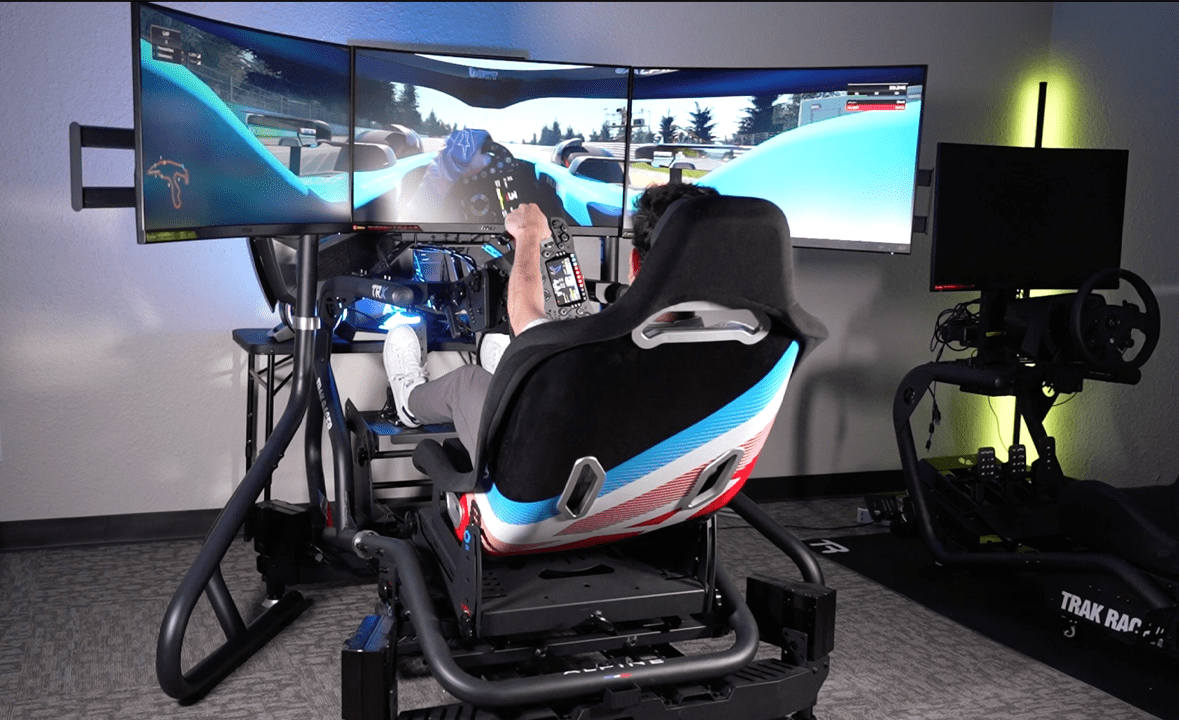
To get the most out of these Fanatec wheel base settings, your full setup also matters—from your rig to your wheel base and pedals.
👉 You can check out my full sim racing setup guide here.
Table of Contents
Toggle👇 Who These Fanatec Wheel Base Settings Are For
These Fanatec wheel base settings are designed for:
- Players using a Fanatec GT DD Pro on PS5 or CSL DD on XBOX
- Drivers looking for realistic and consistent force feedback across different racing games
- Beginner and intermediate racers who want a strong, reliable baseline setup
- Racers who aren’t fully confident adjusting every setting themselves
- Players looking for game-specific settings that actually work in F1 25, GT7, and WRC
If that sounds like you, you can copy my exact settings below and get started immediately.
⚡ Fanatec Wheel Base Settings (Quick Copy)
If you’re looking for the best Fanatec wheel base settings, you can copy these and get started instantly:
- SEN (Steering Angle): 360 (F1 25) / AUTO (GT7) / 540 (WRC)
- FFB (Force Feedback): 100
- FFS (Force Feedback Scaling): Peak
- NDP (Natural Damper): 20–30 (0 for WRC)
- NFR (Natural Friction): Off
- NIN (Natural Inertia): Off
- INT (Interpolation): 5–6
- BRF (Brake Force): 60–80 (depending on your rig)
These settings provide a strong, consistent baseline across F1 25, Gran Turismo 7, and EA Sports WRC, and can be fine-tuned further based on your preference and setup.
| Setting | F1 25 | Gran Turismo 7 | EA Sports WRC |
|---|---|---|---|
| SEN (Steering Angle) | 360 | AUTO | 540 |
| FFB (Force Feedback) | 100 | 100 | 100 |
| FFS (Force Scaling) | Peak | Peak | Peak |
| NDP (Natural Damper) | 30 | 20 | 0 |
| NFR (Natural Friction) | Off | Off | Off |
| NIN (Natural Inertia) | Off | Off | Off |
| INT (Interpolation) | 5 | 5 | 6 |
| BRF (Brake Force) | 60–80 | 60–80 | 70 |
Prefer video? Watch my full breakdown above, or scroll down for a complete written guide to the best Fanatec wheel base settings.
What Do Fanatec Wheel Base Settings Actually Do?
Your Fanatec wheel base settings control how force feedback is delivered from the game to your wheel. Instead of just making the wheel “heavier,” these settings define how much detail you feel—such as road texture, grip loss, kerb vibrations, and weight transfer.
Dialling in the correct Fanatec wheel base settings allows you to:
- Feel when the car is about to lose grip
- Improve consistency and lap times
- Reduce unnecessary strain on your arms
- Increase immersion
Detailed Fanatec Wheel Base Settings Explained (With Real Usage)
Here’s a breakdown of every major Fanatec wheel base setting so you can fine-tune your setup.
SEN – Steering Angle
The SEN (Steering Angle) setting controls how far your wheel rotates from lock to lock.
For F1 25, I run 360 degrees to match the real-world steering rotation of an F1 car. This ensures your inputs feel accurate and consistent with what you see on screen.
However, in Gran Turismo 7, I recommend setting SEN to AUTO. Because you drive a wide variety of cars, the game automatically matches the correct steering angle to each vehicle.
FFB – Force Feedback Strength
For the best Fanatec wheel base settings, I always keep FFB (Force Feedback) set to 100 on the wheel base.
If the wheel feels too strong, it’s much better to reduce the in-game force feedback settings rather than lowering them on the wheel. This way, you maintain maximum detail and avoid losing important feedback signals.
FFS – Force Feedback Scaling (Peak vs Linear)
FFS determines how the force feedback is delivered:
- Peak – Delivers maximum torque instantly
- Linear – Provides a more gradual build-up of force
I always run Peak to get the most performance and responsiveness out of the wheel base. This gives you stronger, more immediate feedback—especially useful when catching slides.
NDP – Natural Damper
NDP (Natural Damper) is one of the most important Fanatec wheel base settings.
It adds weight and resistance to the wheel, helping stabilise it—especially if you experience oscillation (when the wheel shakes on straights).
- In Assetto Corsa Competizione, this is crucial, as oscillation can be quite noticeable
- I recommend keeping it below 50, as higher values can reduce detail
My typical settings:
- F1 25 → ~30
- EA Sports WRC → 0 (feels better without damping)
Getting NDP right can completely change how stable and realistic your wheel feels.
NFR – Natural Friction
NFR (Natural Friction) adds mechanical resistance to the wheel, simulating internal friction.
This can make the wheel feel heavier and more realistic—especially in cars without power steering. However, too much friction can make the wheel feel sluggish
NIN – Natural Inertia
NIN (Natural Inertia) simulates the rotational mass of the wheel. Personally, I set this to 0 as I prefer a cleaner and more direct steering feel. Higher values can make the wheel feel slower to respond.
INT – Interpolation Filter
INT (Interpolation Filter) is another key Fanatec wheel base setting.
It smooths out the signal coming from the game:
- Too low → can feel grainy or noisy
- Too high → becomes too smooth and rubbery, losing detail
I usually run around 5, which gives a good balance between smoothness and detail. This is a setting you may want to fine-tune depending on the game.
FOR, SPR, DPR – Force Modifiers
These settings adjust additional force effects:
- FOR (Force Effect Strength)
- SPR (Spring Effect)
- DPR (Damper Effect)
On PS5, these are not widely used by most games, so the best practice is to leave them at 100 to ensure full compatibility.
FEI – Force Effect Intensity
FEI (Force Effect Intensity) controls how sharp or smooth the force feedback feels:
- 100 → Sharp, detailed, aggressive feedback
- Lower values → Softer, smoother feel
I recommend running this high if you want maximum detail, especially for kerbs and road texture.
BLI – Brake Level Indicator
BLI detects pedal vibration and can be used as a visual or tactile brake indicator.
However, this feature isn’t fully implemented on PS5, and since my pedals don’t support vibration, I don’t use it.
SHO – Vibration Motors
SHO controls vibration in wheels that have built-in rumble motors.
Like BLI, this isn’t fully supported on PS5 in most cases, so its usefulness is limited depending on your setup.
BRF – Brake Force
BRF (Brake Force) is one of the most important settings—especially if you use a load cell pedal.
It determines how much pressure you need to apply to reach 100% braking:
- Higher BRF = more force required
- Lower BRF = easier braking
My setup:
- Around 75% on my Sim-Lab GT1 Evo Cockpit (Click here for the full review)
- Previously 60% on my Playseat Challenge (Click here for the full review)
If you’re using a desk setup, you may need to:
- Lower BRF
- Or find a way to stop your chair from rolling back
This setting is highly personal and depends on your rig and pedals.
Saving Your Settings
Fanatec allows you to save up to 5 custom profiles directly on the wheel base.
This is extremely useful for switching between games like F1 25 and Gran Turismo 7 without needing to reconfigure your Fanatec wheel base settings every time.
🛒 Choosing the Right Wheel for Each Game
While dialling in your Fanatec wheel base settings is crucial, the wheel rim you use also plays a huge role in how the car feels on track. Different wheel designs can completely change your driving experience depending on the type of racing you’re doing.
Here’s what I personally use across each game:
🏁 F1 25 – Precision & Open Wheel Racing
For F1 25, I use the Fanatec ClubSport Formula V2.5 Esports Wheel.
This wheel style is perfect for Formula cars thanks to its compact design and direct input feel. It allows for fast, precise steering inputs, which are essential when dealing with high-speed corners and quick direction changes.
For maximum precision in F1 25, I personally use the Clubsport F1 Esports v2.5 wheel rim—it pairs perfectly with these Fanatec wheel base settings.
🏎️ Gran Turismo 7 – Versatility Across Car Types
In GT7, I use the Fanatec CSL GT3 Wheel.
This is a great all-rounder, especially when driving a mix of road cars and race cars. The larger diameter gives you smoother control and makes longer races more comfortable.
For Gran Turismo 7, the CSL GT3 wheel rim gives a balanced, responsive feel across road and race cars. This is the rim I recommend for a consistent experience.
🏁 EA Sports WRC – Control on Loose Surfaces
For WRC, I use the Fanatec CSL WRC Wheel Rim.
A wheel is ideal for rally driving, as it allows for quick corrections and more natural hand movement when the car starts to slide on gravel or dirt.
Rally stages feel much sharper with the CSL WRC wheel rim, providing immediate feedback and maximum control on loose surfaces.
Choosing the right wheel for each game can make just as much of a difference as your Fanatec wheelbase settings, especially when it comes to control, comfort, and consistency.
👉 I’ll be putting together a full review of each wheel and setup soon. But you can check out an overview of all Fanatec wheels here.
Affiliate Disclaimer: Some links in this post are affiliate links. This means I may earn a small commission at no extra cost to you if you purchase through them. All recommendations are based on my personal experience and opinions.
Best Fanatec Wheel Base Settings for Each Game
Now that you understand what each setting does, the next step is applying these Fanatec wheel base settings in real driving scenarios. Every game feels slightly different, so small adjustments can make a big difference to your control, consistency, and overall lap times.
Best Settings for F1 25
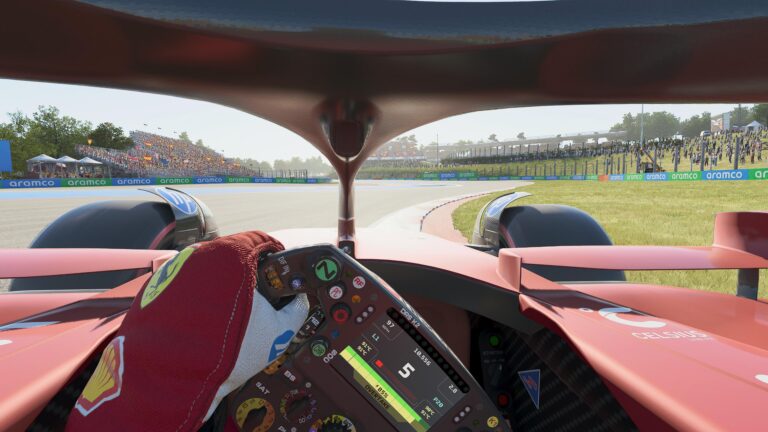
These Fanatec wheel base settings are designed to give you maximum responsiveness and precision in F1 25. With fast direction changes and high-speed corners, a slightly damped but sharp setup helps maintain control and consistency.
⚙️ My F1 25 Settings
- SEN: 360
- FFB: 100
- FFS: Peak
- NDP: 30
- NFR: Off
- NIN: Off
- INT: 5
- BRF: 60 (Playseat Challenge / Desk)
- BRF: 80 (Sim-Lab GT1 Pro
🟢 Best For: Precision and fast direction changes
⚙️ Key Setting: NDP ~30 for stability
🎯 Focus: Turn-in response and traction
👉 Follow my F1 25 Brawn GP Career Mode here – real race setups, no assists, and 100 AI
Best Settings for Gran Turismo 7
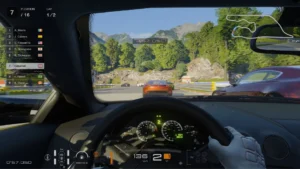
For Gran Turismo 7, these Fanatec wheelbase settings provide a stable, balanced feel across a wide range of cars. Since GT7 features everything from road cars to race cars, consistency and smooth inputs are key.
⚙️ My GT7 Settings
- SEN: AUTO
- FFB: 100
- FFS: Peak
- NDP: 20
- NFR: Off
- NIN: Off
- INT: 5
- BRF: 60 (Playseat Challenge / Desk)
- BRF: 80 (Sim-Lab GT1 Pro)
🟢 Best For: Mixed car handling
⚙️ Key Setting: Slightly lower damping for balance
🎯 Focus: Smooth inputs and consistency
👉 Check out my full sim racing setup and wheel configuration guide here – perfect for improving consistency across all games
Best Settings for EA Sports WRC
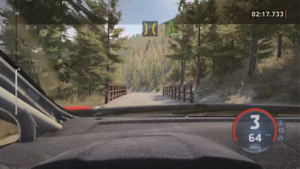
These Fanatec wheel base settings are tuned for responsiveness and control in WRC. Rally driving requires constant corrections on loose surfaces, so removing damping allows the wheel to feel more reactive and alive.
⚙️ My WRC Settings
- SEN: 540
- FFB: 100
- FFS: Peak
- NDP: 0
- NFR: Off
- NIN: Off
- INT: 6
- BRF: 70
🟢 Best For: Fast corrections on loose surfaces
⚙️ Key Setting: NDP = 0 for maximum responsiveness
🎯 Focus: Car control and traction
Beyond Wheel Settings: Adding Tactile Feedback
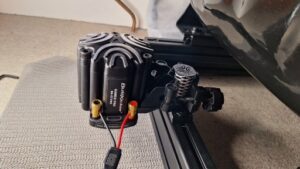
Getting your Fanatec wheel base settings right is a huge step towards realism—but if you want to take immersion even further, tactile feedback can completely transform your experience.
Tactile feedback systems, like a Buttkicker, add physical vibrations to your rig or seat, allowing you to feel what the car is doing—not just through the wheel, but through your entire body.
This means you can feel things like:
- Kerbs and road texture
- Engine vibrations
- Gear shifts and impacts
- Wheel slip and loss of traction
Instead of relying purely on force feedback through the wheel, tactile feedback adds another layer of information, making your driving feel much closer to real life.
One of the biggest benefits is how it improves consistency. For example, being able to feel subtle traction loss through your seat can help you react quicker and maintain control—especially in high-powered cars.
It also pairs perfectly with well-tuned Fanatec wheel base settings, as the two systems work together:
- Your wheel delivers steering detail and resistance
- Tactile feedback delivers vibration and chassis feel
If you’re serious about sim racing, this is one of the most noticeable upgrades you can make to your setup.
👉 I’ve covered everything you need to get started in my full Buttkicker setup guide here.
When combined with a properly dialled-in setup, tactile feedback adds a whole new layer of immersion.
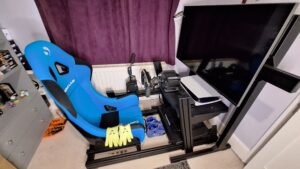
This is the full setup I use alongside my Fanatec wheel base settings, including my cockpit, pedals, and tactile feedback system.
👉 You can check out my full sim racing setup and rig review here.
Common Fanatec Settings Mistakes to Avoid
- Running force feedback too high (causes clipping)
- Using too much damping (kills detail)
- Copying settings without testing
- Ignoring in-game settings
- Not adjusting BRF for your rig
- Changing too many settings at once
❓ Fanatec Wheel Base Settings FAQ
The best settings depend on the game, but a balanced setup with FFB at 100 and controlled damping works best for most players.
This is usually due to low in-game force feedback or incorrect tuning on the wheel base.
Typically between 20–30, but can be 0 for rally games like WRC.
Peak is recommended for maximum performance and responsiveness.
🔗 Related Sim Racing Guides
🏁 Final Thoughts
Getting your Fanatec wheel base settings dialled in is one of the most crucial steps to unlock your full sim racing potential. With the right sim racing setup, including your wheel rim, pedals, and rig, you’ll enjoy:
- Better control over every corner and braking zone
- More consistent lap times across different cars and tracks
- A more immersive driving experience, especially when paired with tactile feedback devices like a Buttkicker
These Fanatec wheel base settings provide a solid foundation for both beginners and intermediate racers, but feel free to fine-tune them based on your rig, wheel rim, or personal preference. Every detail of your sim racing setup contributes to maximum realism and performance.
To take your setup even further, check out my full sim racing rig review and see how all the components come together for the ultimate experience.
Mastering your Fanatec wheel base settings is the quickest way to gain control, consistency, and realism in your sim racing—get it right, and every lap feels like the real thing.